
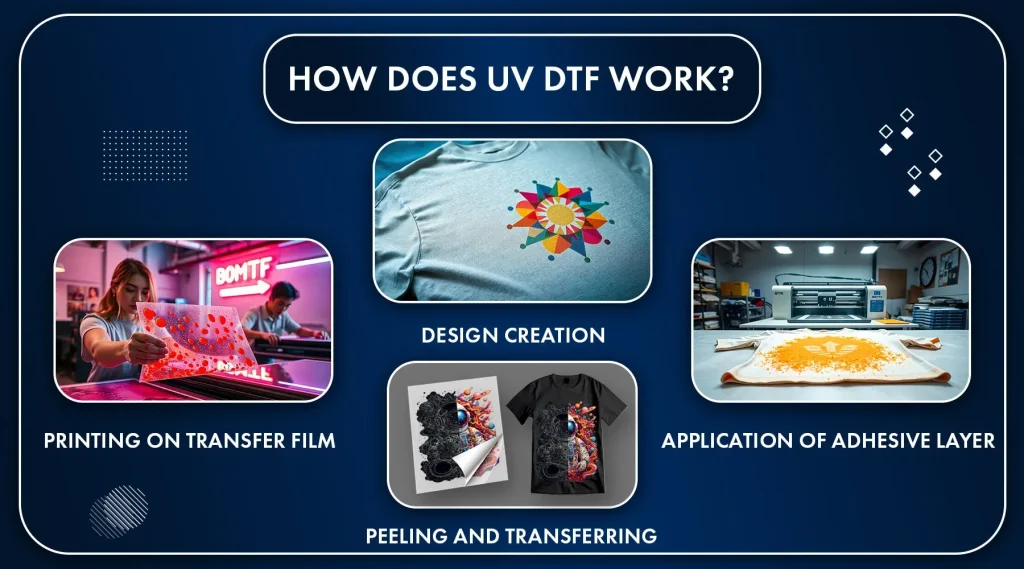
UV DTF transfer is redefining how designers achieve vivid, durable prints across fabrics, plastics, and coated surfaces, enabling bold colors and complex textures that were once hard to reproduce. A repeatable, color-accurate workflow hinges on UV DTF profiles, precise DTF printer calibration, and robust DTF color management from design to delivery. From profiling to calibration to the final transfer, this approach minimizes color drift and expands substrate options. Knowing UV DTF transfer techniques helps you optimize ink behavior, film translucency, and curing uniformity under real-world conditions. By applying these concepts, you can consistently achieve vibrant, durable results for apparel, signage, and hard-surface projects.
Viewed through the lens of related terms, this technology is about a reliable color pipeline for film-to-substrate transfers. In practical terms, it’s a color-management discipline that ties digital design to how inks behave on each substrate, using device ICC profiles and careful printer calibration. Think of it as a coordinated system where substrate appearance, film opacity, and curing behavior are reconciled with the designer’s intent. By framing the topic with terms like UV-curable inks, transfer film behavior, and color reconciliation, you can plan for consistency across products.
Understanding UV DTF Profiles: The Foundation of Color Accuracy
UV DTF profiles are the compass of a color-managed workflow. They translate digital intent into inked reality by mapping design colors to the printer’s ink set and the specific substrate behavior, including how UV inks cure and interact with the carrier film. Building and linearizing these profiles starts with selecting representative substrates, measuring color response with a spectrophotometer, and defining a target color space that aligns with your design intent. In practice, well-crafted UV DTF profiles reduce drift and ensure each print remains faithful to the original vision across production runs.
A robust profile strategy means maintaining a library of substrate- and ink-specific profiles, validating each new batch, and updating as material changes occur. By treating UV DTF profiles as living assets, you create a reliable baseline for color management, enabling predictable results when lighting conditions or base fabrics vary. This foundation supports not just color accuracy, but repeatability in your workflow—from initial concept to final transfer.
DTF Printer Calibration for Consistent Color Across Batches
DTF printer calibration is the deliberate process of aligning device characteristics with your target color performance. It involves white point, black point, and midtone consistency to ensure tonal range stays within expectations from today’s run to tomorrow’s. In addition, ink density calibration tunes how much of each channel is laid down, while substrate calibration accounts for how fibers, coatings, or textiles affect hue and brightness after curing.
A practical calibration cycle uses controlled test patterns and color measurement tools to close the loop between printed results and reference standards. Regular calibration—supported by firmware tweaks, ICC profile updates, and documented substrate notes—minimizes color drift caused by ink batch variation, film batch changes, or environmental fluctuations, keeping your UV DTF outputs aligned with your design intent.
DTF Color Management: From Design to Final Print
DTF color management stitches together design intent, profiling, and production output so that colors travel through the pipeline with minimal surprises. Start with embedding or referencing working spaces, then rely on a RIP that respects ICC profiles and translates digital values into device-specific ink levels. The guiding goal is to ensure the final print matches the visible design space, even as substrate color, film opacity, and curing conditions introduce subtle shifts.
Controlling the color journey requires clarity about color spaces, gamut handling, and measurements taken along the way. By leveraging UV DTF profiles in tandem with robust DTF color management practices, you can minimize gamut clipping and ensure accurate underbase behavior, especially when dealing with dark fabrics or coated substrates. Clear proofing steps—soft proofs for on-screen visual verification and hard proofs on the actual substrate—anchor expectations before you commit to production.
UV DTF Transfer Techniques: Practical Steps for Reliable Results
UV DTF transfer techniques combine design accuracy with precise transfer mechanics to deliver vivid, durable results. Start with preflight design management, ensuring embedded profiles are present and colors stay within the substrate’s printable gamut. From there, implement profiling and calibration as ongoing practices and configure the RIP so that color management remains locked to your substrate and ink set during production.
During the transfer itself, pay close attention to curing and film behavior to preserve color fidelity. The interaction between UV inks, the carrier film, and the substrate dictates final vibrancy, so maintain consistent curing exposure, film tension, and platen alignment. Incorporating post-transfer evaluation helps detect shifts early, allowing you to adjust profiles or underbase strategies and maintain reliable results across runs.
Choosing Substrates and Films: How They Shape Color and Durability
Substrate selection is a major determinant of color fidelity and durability in UV DTF work. Light-colored fabrics tend to reproduce colors more true to the source, while darker materials require thoughtful underbase planning to maintain brightness and opacity. Hard surfaces or coated substrates may respond differently to curing, so you’ll benefit from substrate-specific color profiles that account for base color, texture, and optical properties.
Film opacity, white ink density, and pre-treatment all influence how colors translate after transfer. Testing across a representative set of merchandise helps ensure your profiles hold under real-world conditions. By documenting how each substrate interacts with your UV inks, you can fine-tune underbase and ink density targets to preserve saturation and contrast across the full color range.
Quality Control, Proofing, and Troubleshooting in UV DTF Workflows
Quality control in UV DTF workflows centers on measurable color accuracy and consistency. Use soft proofing to compare on-screen intent with actual prints, then produce hard proofs on the target substrate to confirm how colors behave under real conditions. Regular color measurements with a spectrophotometer or colorimeter help verify that patches stay within tolerance and flag drift early.
Troubleshooting common issues—such as color drift between runs, mismatch between proof and final print, substrate-induced shifts, and image quality problems like banding or dot gain—relies on a disciplined process. Recalibrate and revalidate profiles on a set schedule, ensure the same profile is applied in production, and re-test on new substrates before large runs. By integrating calibration, profiling, and color management into a repeatable QC loop, you’ll preserve color integrity and throughput across diverse UV DTF projects.
Frequently Asked Questions
What are UV DTF profiles and how do they influence UV DTF transfer color accuracy?
UV DTF profiles are device- and substrate-specific ICC profiles that translate digital colors into UV ink outputs for UV DTF transfer. They combine printer profiles and substrate data to linearize ink, set density targets, and define how ink interacts with the carrier film. Building a library of UV DTF profiles and validating them with spectrophotometer measurements helps reduce color drift and improve reproducibility across jobs.
How do you calibrate a DTF printer for UV DTF transfer to ensure repeatable color?
Begin with device calibration (white point, black point, and midtones) and then perform ink density calibration to match target colors. Add substrate calibration to account for how fabrics or hard surfaces affect curing, followed by optical calibration for film tension and platen height. Use a controlled test print and a spectrophotometer to adjust ICC profiles or firmware until measurements align with targets. Schedule regular calibration to prevent drift.
What is the role of DTF color management in achieving consistent results for UV DTF transfer?
DTF color management ties design intent to the printed result through a robust ICC workflow. It uses printer and substrate profiles, manages color spaces (design app to RIP to printer), and supports soft proofs and hard proofs on actual substrates. A solid color-management routine reduces deviations between monitors and prints and ensures color consistency across different substrates and ink lots.
Which UV DTF transfer techniques help improve color vibrancy and durability?
Key techniques include: building a reliable color library of calibrated profiles for each substrate, using UV DTF profiles as a baseline, maintaining a defined color space from design to RIP, controlling substrate impact (base color and texture), validating with soft and hard proofs, and planning for post-press color changes due to heat or curing. Proper curing with the recommended UV exposure also preserves vibrancy.
What are common color issues in UV DTF transfer and how can I troubleshoot them?
Common issues include color drift between runs, mismatch between proof and final print, substrate-induced color shifts, and image problems like banding or dot gain. Troubleshoot by recalibrating the printer, verifying consistency of color-management settings across jobs, reprinting proofs with the same substrate and film and curing conditions, updating substrate-specific UV DTF profiles, checking film tension and head alignment, and adjusting underbase where needed.
How should I prepare substrates and films to optimize color accuracy in UV DTF transfer?
Choose substrates with known optical properties and document their base color and texture. Pre-treat fabrics or surfaces as recommended, account for film opacity, and determine the needed white underbase or layer density to achieve target saturation. Test across a representative range of products and use substrate-specific UV DTF profiles to ensure consistent color results from proof to production.
| Aspect | Key Points |
|---|---|
| UV DTF Transfer Overview | Direct to Film with UV-curable inks; inks cure instantly under UV light, offering sharp detail and fade resistance. Color accuracy hinges on precise profiling and meticulous calibration across the workflow (substrate color/texture, film translucency, proof lighting, and how UV inks cure interact with the carrier film). Process: print onto specialized film, then heat/press transfer to the final substrate. |
| Color Management Foundations | Two interrelated profiles are essential: the printer profile (mapping digital colors to CMYK/HDR ink values) and the substrate/profile (how ink behaves on a given substrate when cured). UV DTF profiling also includes printer linearization, ink density targets, and ink-layer–carrier relationships to achieve predictable results. |
| DTF Profiling | DTF color profiling involves creating, validating, and applying ICC profiles (device- and substrate-specific). Build a robust profile suite by characterizing substrates and consolidating printer/ink-set profiles to maintain consistency across runs. |
| Calibration | Calibration layers include device (white/black point, midtones), ink density, substrate, and optical calibration. Use controlled test patterns and spectrophotometry to drive ICC adjustments, with regular recalibration to prevent drift from ink/film batches or environment. |
| Practical Techniques | Key techniques: build a color library of substrate-specific profiles, use baseline UV DTF profiles, manage color in defined color spaces, account for substrate impact (base color/texture), validate with soft and hard proofs, and anticipate post-press color changes. |
| Practical Workflow | Preflight/design review, material prep, profiling/calibration cycle, RIP/color management, production print and curing, then quality control with color-measured patches to confirm tolerance. |
| Substrates & Film | Substrate color/texture strongly influences perceived color; light fabrics may need less underbase than dark ones. Film opacity and curing behavior also affect results. Plan testing across substrates and maintain substrate-specific color profiles. |
| Common Challenges | Color drift between runs, proof-to-final mismatches, substrate-induced shifts, and image issues (banding/dot gain) are common. Address them with regular recalibration, matching proofs to final conditions, substrate re-testing, and precise print-head alignment. |
| Profiling as a Discipline | Color profiling is a continuous discipline: maintain a library of references, run regular validations, and update processes when material batches change to improve reproducibility across garments and surfaces. |
Summary
Conclusion: UV DTF transfer color mastery hinges on building reliable UV DTF profiles, performing careful calibration, and applying color-management techniques that address substrate and curing realities. By treating profiling as a living, evolving practice rather than a one-time setup, you’ll achieve more predictable results, reduce waste, and expand your range of substrates with confidence. Whether aiming for precise color matching in a fashion line or consistent branding on promotional items, the combination of profiles, calibration, and practical transfer techniques will elevate your UV DTF transfer projects to new levels of color quality and reliability.