
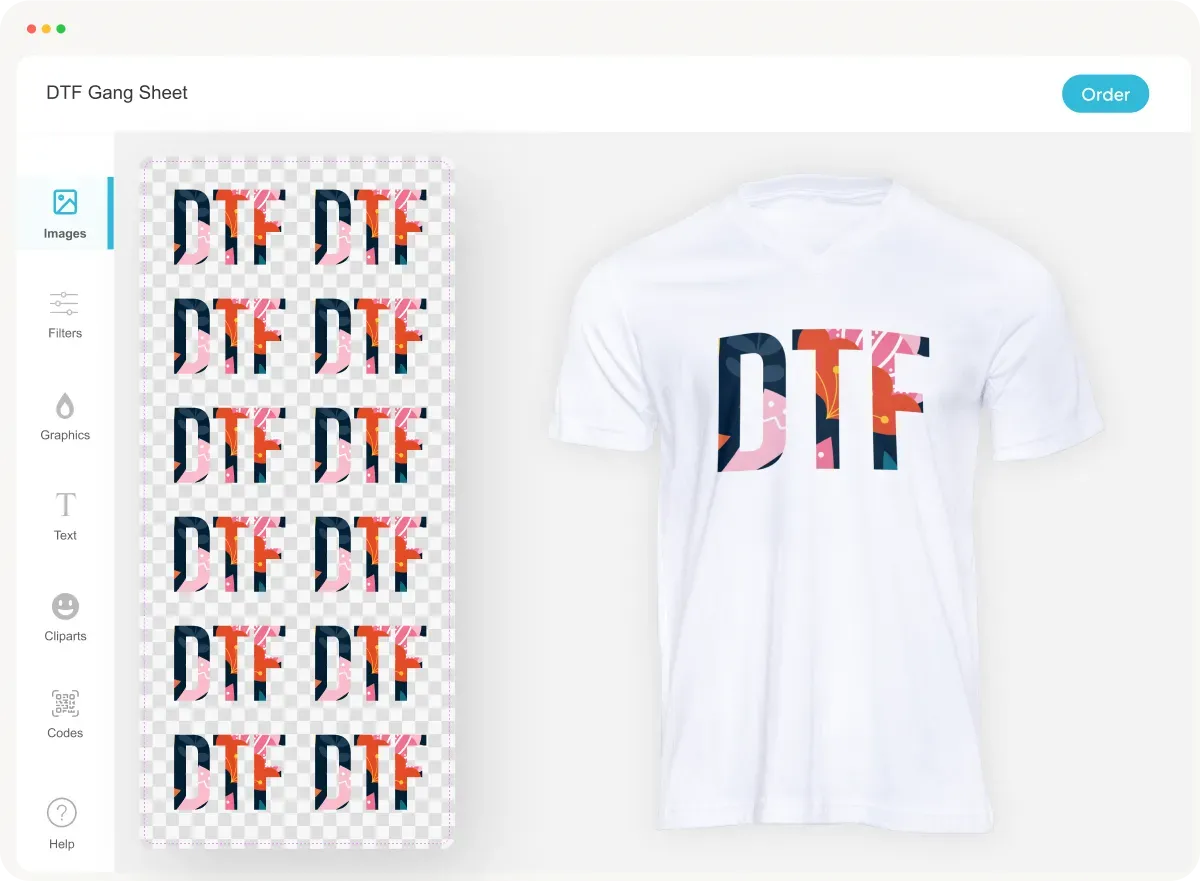
The DTF Gangsheet Builder is revolutionizing the way we approach Direct-to-Film printing, providing an innovative solution for artists and businesses looking to optimize their print quality. With this powerful tool, users can efficiently create gang sheets that maximize material usage while ensuring vibrant colors and sharp designs. This introduction to the DTF Gangsheet Builder will delve into essential heat press tips, color calibration techniques, and effective DTF printing strategies that yield exceptional results. As the demand for high-quality prints continues to grow, mastering the DTF Gangsheet Builder can set you apart in the competitive world of textile printing. Join us as we explore the best practices to enhance your printing process and elevate your results.
Understanding the intricacies of DTF printing involves exploring its key components, including a gang sheet creator that facilitates efficient design transfers onto fabrics. This concept, often referred to as film transfer printing, empowers users to produce multiple designs seamlessly, significantly reducing waste and maximizing print efficiency. Familiarize yourself with essential practices such as print quality enhancement and color management for optimal results. As techniques in heat transfer and dye application evolve, leveraging the functionality of the gangsheet builder becomes crucial for those seeking excellence in their fabric printing endeavors. In this guide, we will provide you with insights and tips tailored for mastering this innovative printing method.
What is DTF Printing?
Direct-to-Film (DTF) printing is a revolutionary technique in fabric printing that allows vibrant designs to be transferred directly onto various textiles. This process utilizes specialized films, which are printed with high-quality inks, ensuring bright and precise color reproduction. The versatility of DTF printing means it can cater to a multitude of fabric types, making it an increasingly popular choice for custom apparel and merchandise.
Unlike traditional printing methods, DTF printing enables multiple designs to be printed on a single sheet or gang sheet. This not only optimizes ink usage but also minimizes waste, making it an environmentally friendly choice. As businesses look for efficient and cost-effective printing solutions, DTF holds multiple advantages, including faster production times and superior print quality.
Optimizing Your DTF Gangsheet Builder Layout
The DTF Gangsheet Builder serves as a powerful tool for optimizing the layout of your designs. A well-structured gang sheet can significantly enhance production efficiency while reducing material waste. Designers must consider strategic spacing, ensuring adequate distance between designs to prevent bleed-through, which could compromise print quality. Effective design arrangement, grouping smaller designs and positioning larger ones separately, can maximize the use of available film.
Additionally, utilizing the preview feature before finalizing the print lays the groundwork for achieving a successful outcome. By double-checking alignment and spacing, you can identify issues beforehand, saving both time and resources. Employing these layout strategies not only ensures efficient operation but also translates into cost savings for businesses involved in DTF printing.
The Importance of Color Calibration in DTF Printing
Accurate color calibration is critical to achieving prints that reflect your original designs. In the realm of DTF printing, consistent calibration ensures that the colors displayed on your screen accurately replicate in the final output. Regularly calibrating your printer using quality RIP software tailored for DTF is essential, as this helps manage color profiles effectively.
Incorporating pre-defined color profiles can also elevate your printing game. These profiles are designed specifically for different printers and transfer films, greatly improving color accuracy. Taking the time to conduct small test prints before going into large-scale production can identify potential discrepancies, allowing you to make necessary adjustments and achieve the desired results.
Selecting the Right Film for DTF Printing
Choosing the appropriate DTF film is vital as it directly influences the print's durability and vibrancy. High-quality PET films are recommended due to their resilience and ability to reproduce colors faithfully post-transfer. When sourcing films, it’s advisable to consider reputable manufacturers that offer films with proven track records, such as those from Colman and Company.
Furthermore, experimenting with different film types can reveal insights into their performance with various inks and fabrics. Some films perform better under specific conditions or with certain design complexities, making it crucial for printers to test a few options to find the perfect match for their needs. The right film can make a significant difference in the final print quality, enhancing the overall customer satisfaction.
Mastering Heat Press Techniques for DTF Printing
In DTF printing, applying the correct heat is foundational to achieving perfect transfers. Pre-heating garments removes any residual moisture, which helps in better adhesion of the film to the fabric. Adhering to the manufacturer's specified temperature and pressure settings is crucial as different films and garments may require specific adjustments to achieve optimal results.
Moreover, understanding the cooldown period is equally important. Allowing the prints to cool adequately before peeling the film ensures that the design adheres properly to the garment without any chances of peeling off. By refining these heat press techniques, you not only ensure high-quality results but can also uphold the longevity of the finished product.
Troubleshooting Common DTF Printing Challenges
Even with careful preparation, challenges can arise during the DTF printing process. For example, peeling designs typically result from incorrect heat settings. It’s essential to double-check both temperature and pressure to avoid these issues. Regular maintenance of equipment, including cleaning print heads, can also help mitigate these types of problems, ensuring consistent print quality.
Engaging with other DTF printing professionals through forums or communities can provide valuable insights and solutions to common challenges. Sharing tips and techniques from experienced users can be advantageous and help troubleshoot specific issues more effectively. Continuous learning and adaptation to feedback can elevate your DTF printing results over time.
Frequently Asked Questions
What is the DTF Gangsheet Builder and how does it improve DTF printing?
The DTF Gangsheet Builder is a specialized tool that optimizes the layout of multiple designs for Direct-to-Film (DTF) printing. By allowing printers to create gang sheets, it reduces material waste and enhances productivity. This tool is essential for achieving efficient ink usage and maximizing print quality.
How can I optimize my designs with the DTF Gangsheet Builder?
To optimize designs using the DTF Gangsheet Builder, ensure proper spacing between designs to prevent bleeding, and group smaller images together to maximize layout efficiency. Utilizing the preview function before printing helps confirm layout accuracy, which significantly aids in print quality optimization.
What are the best practices for color calibration in DTF printing?
Effective color calibration in DTF printing involves regularly calibrating your printer with high-quality RIP software and using pre-defined color profiles tailored for your specific printer and transfer film. Conducting small test prints can also help ensure color accuracy before larger print jobs.
Why is film quality important in DTF printing?
Film quality plays a crucial role in DTF printing, as high-quality PET films enhance durability and vibrancy of the printed designs. Selecting reputable film suppliers and experimenting with various film types can lead to better outcomes in printed products.
What heat press techniques should I follow for optimal DTF prints?
Key heat press techniques for DTF prints include pre-heating garments to eliminate moisture, using the correct temperature and pressure as per manufacturer instructions, and allowing adequate cooling time before film removal. Following these steps ensures optimal adhesion and longevity of prints.
What are common troubleshooting tips for DTF printing issues?
Common troubleshooting tips for DTF printing issues include checking heat settings to avoid peeling designs, using high-quality inks to prevent fading, and maintaining clean print heads. Engaging with user communities can also provide insights and solutions for recurring problems.
| Key Point | Details |
|---|---|
| Understanding DTF Printing | DTF printing allows for multiple designs to be printed on a single film, reducing waste and time. |
| Gangsheet Optimization | Proper layout includes spacing, arrangement of designs, and using preview printing to minimize errors. |
| Color Calibration | Accurate color calibration ensures prints match screen colors. Consistent calibration and testing are key. |
| Choosing the Right Film | Quality PET films are crucial for durability. Experimenting with types can optimize print outcomes. |
| Heat Press Techniques | Pre-heating garments, correct settings, and cooling time are essential for high-quality prints. |
| Troubleshooting | Common issues such as peeling can often be fixed by checking heat settings and ink quality. |
Summary
The DTF Gangsheet Builder is an essential tool for anyone looking to excel in DTF printing. By mastering this tool, users can print their designs with unparalleled quality and efficiency. Essential techniques like optimizing gangsheet layouts, calibrating colors accurately, choosing the right films, and employing effective heat press methods all contribute to achieving perfect prints. Additionally, staying proactive with troubleshooting ensures a smooth printing workflow. With these strategies, operators can boost production while delivering vibrant results, thus establishing a strong footing in the competitive textiles market.