The
DTF Gangsheet Builder stands at the forefront of innovation in custom apparel printing, significantly enhancing the capabilities of Direct-to-Film (DTF) printing technology. This exceptional tool allows creators to efficiently produce multiple designs on a single sheet, optimizing both time and material usage. By leveraging the DTF Gangsheet Builder, users can streamline their gangsheet creation process and achieve impressive results with minimal effort. This tutorial will guide you through the intricacies of designing for DTF, focusing on effective techniques that ensure vibrant and high-quality prints. Whether you're experienced or just starting out, understanding how to utilize the DTF Gangsheet Builder can transform your heat transfer printing projects into masterpieces.
Introducing an innovative tool for custom garment printing, the DTF Gangsheet Builder is essential for anyone looking to enhance their print production. This cutting-edge software simplifies the gangsheet creation process, allowing you to bundle various designs onto a single film for efficient heat transfer printing. With the growing demand for personalized apparel, mastering the art of designing for DTF has never been more crucial. The DTF Gangsheet Builder not only streamlines the workflow but also maximizes design space, helping businesses reduce waste while increasing profitability. By understanding the functionalities of this builder, you can ensure that your custom prints stand out in a competitive market.
Understanding the DTF Printing Process
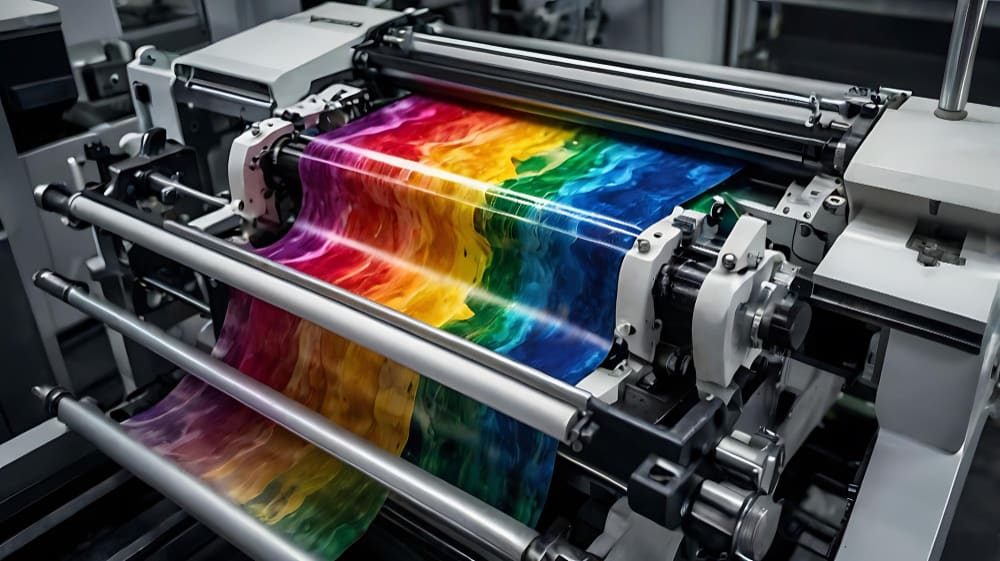
Direct-to-Film (DTF) printing is an innovative technology that allows designers and printers to create high-quality printed designs on a variety of fabrics. By utilizing a specialized process where designs are printed onto a film using eco-solvent inks, the DTF method has gained popularity in the custom apparel printing industry. This technique delivers stunning color vibrancy and durability, making it a preferred choice for many businesses focused on garments and accessories.
In DTF printing, the process begins with preparing the artwork, which is then printed onto a transfer film. This film is subsequently coated with a powder adhesive before being cured in a heat press. The result is that the design securely adheres to the fabric, offering exceptional quality. Understanding this process is crucial for effective gangsheet creation, as it helps in aligning artwork with the printing method to maximize efficiency and minimize waste.
The Benefits of Using DTF Gangsheet Builder
Utilizing a DTF Gangsheet Builder comes with numerous benefits that can enhance your custom apparel printing business. One of the primary advantages is the ability to bundle multiple designs into one print run, which not only saves time but also reduces material costs. This efficient workflow enables printers to meet higher demands while maintaining quality, making it an essential tool in today's fast-paced market.
Moreover, the DTF Gangsheet Builder often includes features like drag-and-drop functionality and pre-set templates that simplify the design process. This allows both novice and experienced designers to create complex layouts with ease, resulting in a more productive and streamlined experience. By optimizing your print area effectively, you can produce a greater number of designs per sheet, thereby improving overall job profitability.
Best Practices for Designing for DTF Printing
When designing for DTF printing, adhering to best practices can significantly impact the final results. First, it's important to use high-resolution images and vector graphics for the best clarity and detail when printed. Maintaining a DPI of 300 or above ensures that your designs look sharp and professional on the final product. Additionally, using colors in the CMYK spectrum allows for precise color matching, enhancing the visual appeal of your prints.
Another critical aspect of preparing designs for DTF printing is layout arrangement. Proper spacing between designs is essential to avoid overlapping, which can lead to printing errors. The DTF Gangsheet Builder aids in this by providing templates that guide placement and spacing. Adhering to these guidelines not only improves the organization of your designs but also maximizes the use of the print area, leading to more effective gangsheet creation.
Arranging Your Designs with Precision
Arranging designs accurately on a DTF Gangsheet is vital for achieving optimal results. A well-planned layout can help save both time and resources during the printing process. By using the drag-and-drop feature available in many DTF Gangsheet Builders, users can easily position designs as per their preferences while ensuring that adequate spacing is maintained between each piece. This practice helps to prevent issues during printing, such as misalignment or overlapping.
Additionally, taking advantage of the pre-set guidelines provided by the gangsheet builder can significantly simplify the arrangement process. After placing your designs, double-checking the alignment and specifications outlined in the DTF template can further minimize errors. Properly arranged designs not only enhance the aesthetic outcome but also streamline the subsequent printing and heat transfer application processes.
Mastering Heat Transfer Techniques for DTF Printing
Heat transfer application is a crucial phase in the DTF printing process, affecting the longevity and quality of the final product. To achieve the best results, it's imperative to set the correct temperature and time based on the specific material being printed on. Many manufacturers provide guidelines that should be followed meticulously to prevent any damage to the fabric or the transfer film.
Moreover, conducting a test run on a sample fabric can save time and resources by ensuring that your heat press settings are appropriately calibrated. This step helps to identify the ideal pressure and time needed to achieve a successful transfer without compromising the design quality. Mastering these heat transfer techniques is essential for anyone wishing to excel in DTF printing and is a key element in driving customer satisfaction.
Exploring Innovations in DTF Printing Technology
The realm of DTF printing is witnessing rapid advancements, making it an exciting field for both seasoned professionals and newcomers alike. Innovations such as real-time previews of design layouts within the DTF Gangsheet Builders enable users to visualize their creations before committing to a print run. This feature not only enhances creativity but also reduces the chances of costly mistakes.
Another noteworthy trend in DTF technology is the integration of automation within design tools. Automation streamlines workflow processes, allowing designers to focus more on creativity rather than repetitive tasks. Such technological enhancements are making it easier for businesses to scale operations and meet the growing demands of the custom apparel market.
Frequently Asked Questions
What is the DTF Gangsheet Builder and how does it enhance DTF printing?
The DTF Gangsheet Builder is a specialized tool designed for Direct-to-Film (DTF) printing that allows users to create layouts featuring multiple designs on a single sheet. This enhances DTF printing by maximizing space, reducing costs, and improving production efficiency by enabling simultaneous printing of different designs.
How can I effectively use the DTF Gangsheet Builder for custom apparel printing?
To effectively use the DTF Gangsheet Builder for custom apparel printing, you should start by selecting the right graphic design software, create high-resolution artwork, and arrange your designs efficiently using the builder's features. Ensure proper color management and review the layout before printing to achieve optimal results.
What are the benefits of using gangsheet creation in DTF printing?
Gangsheet creation in DTF printing offers numerous benefits including reduced waste, improved productivity, and cost savings. By printing multiple designs at once, you can increase the number of custom apparel items produced, thus enhancing overall business profitability.
What software is best for designing for DTF with the Gangsheet Builder?
Popular software for designing for DTF with the Gangsheet Builder includes Adobe Illustrator and CorelDRAW. Dedicated DTF software that features specialized templates for gangsheet creation can also be beneficial for ease of use and efficiency.
How does color management work in the DTF Gangsheet Builder?
Effective color management in the DTF Gangsheet Builder involves converting designs from RGB to CMYK to ensure accurate color representation in printed outputs. This step is crucial for achieving vibrant and precise colors in your custom apparel printing.
What is the process for heat transfer printing after using the DTF Gangsheet Builder?
After using the DTF Gangsheet Builder to print your designs, the process for heat transfer printing involves using a heat press to apply the prints onto fabric. Ensure you set the correct temperature and time based on the fabric and transfer film requirements to achieve the best results.
| Key Aspects |
Details |
| Introduction to DTF Printing |
DTF printing allows for efficient and vibrant designs on fabric, aided by tools like DTF Gangsheet Builder. |
| Definition of DTF Gangsheet |
A DTF gangsheet permits the simultaneous printing of multiple designs, enhancing productivity and reducing costs. |
| Purpose of DTF Gangsheet Builders |
To optimize layout for maximizing print area and profitability, while allowing effective design manipulation. |
| Step 1: Choosing Software |
Select graphic design software like Adobe Illustrator or CorelDRAW, or specialized DTF software. |
| Step 2: Design Artwork |
Create high-resolution designs and adhere to gangsheet dimensions. Save images at 300 DPI. |
| Step 3: Arrange Designs |
Use drag-and-drop features to position designs and prevent overlaps during printing. |
| Step 4: Color Management |
Convert designs from RGB to CMYK for accurate color representation during printing. |
| Step 5: Finalize Layout |
Review for overlaps and ensure all designs fit within template size restrictions. |
| Step 6: Printing Preparation |
Adjust printer settings for media type and quality, and select compatible transfer film. |
| Final Step: Heat Application |
Use a heat press with proper settings for fabric and transfer type, testing with sample fabric first. |
Summary
The DTF Gangsheet Builder is essential for improving custom apparel printing efficiency and quality. This comprehensive tutorial covers everything from software selection to the final heat transfer method, ensuring users can maximize the use of gangsheet layouts effectively. Embracing technologies and methodologies outlined here will empower both beginners and experienced printers alike, setting them on a path towards greater profitability and professional outcomes in the growing DTF printing market.